

Ask your AI.
About production incidents.
Use natural language to query incidents, run analysis, and get fix suggestions directly in Cursor, Kiro, or any MCP-compatible IDE.
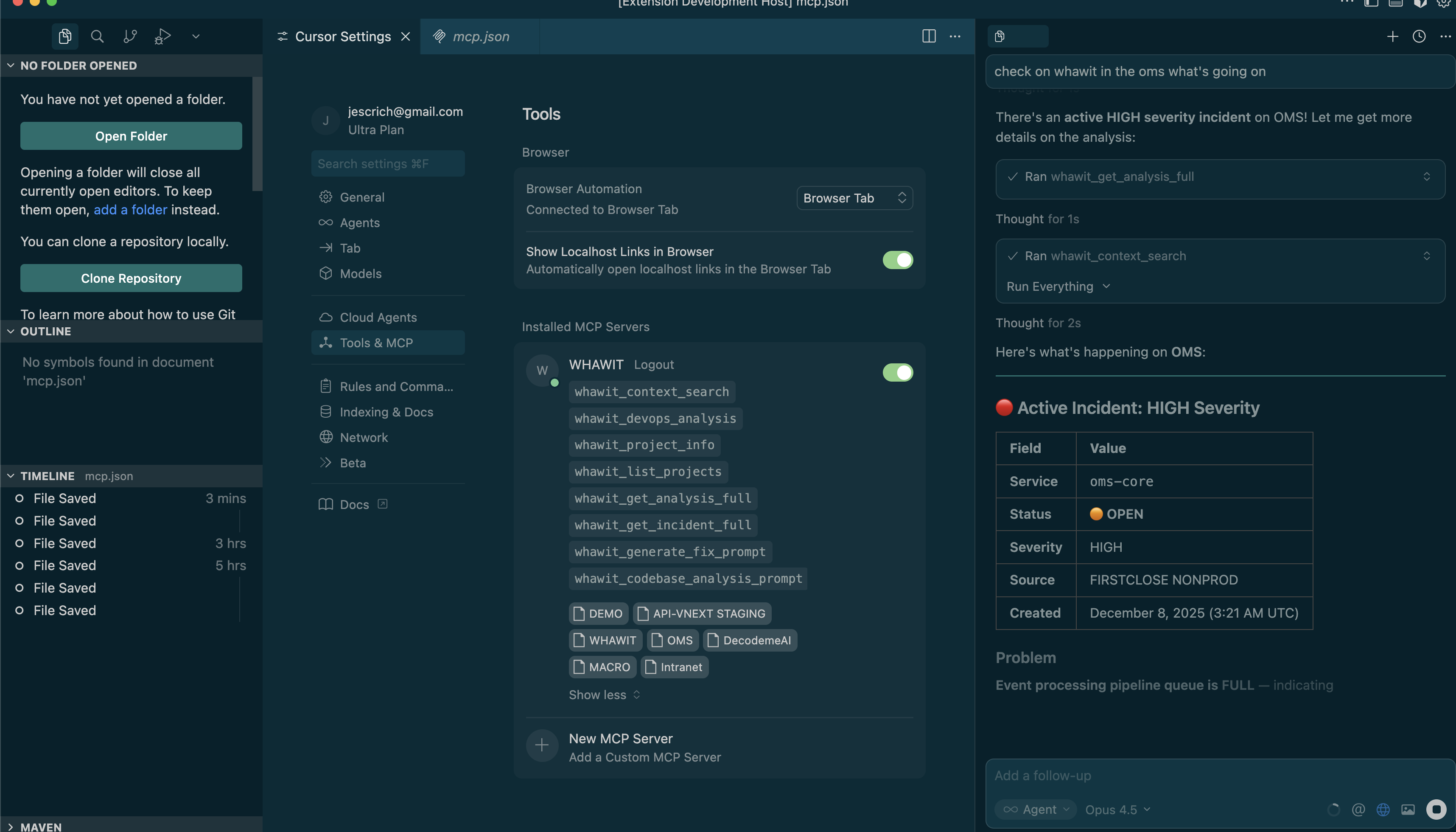
"Do we have any errors on OMS in the last 24 hours with the orders?"
Open Incident Detected
There's a HIGH severity incident currently open for the oms-core service: Event processing pipeline queue is FULL...
13 Tools at Your Command
Your AI assistant can use these tools to query incidents, analyze issues, and suggest fixes.
whawit_list_projects
List the projects your account can access, with the URNs and aliases the other tools take.
whawit_project_info
Integrations, monitors, health status and linked repositories of a project.
whawit_devops_analysis
Open incidents and recent analyses already on record for a project. Read-only.
whawit_run_analysis
Run a new on-demand analysis of a project's logs for a specific question or time range.
whawit_get_incident_full
Full incident details: triage, timeline, external references and the correlated analysis.
whawit_get_analysis_full
Complete analysis data: summary, evidence, business impact and log excerpts.
whawit_incident_copilot
Stored copilot results for an incident: root cause, similar incidents, stakeholder summary, postmortem. Read-only.
whawit_incident_copilot_generate
Generate and store those copilot deliverables for an incident.
whawit_knowledge_search
Search the team's Operational Memory — runbooks, docs, incident learnings, and architecture notes — for a project.
whawit_get_fix_context
Everything needed to fix the code behind an incident: analysis, evidence and the repositories to clone.
whawit_generate_fix_prompt
An AI-ready prompt for fixing the issues an analysis identified.
whawit_codebase_analysis_prompt
A prompt scaffold for analyzing a codebase against the project's recent analyses.
whawit_create_ticket
Queue a Jira-synced tracking ticket from an analysis or incident.
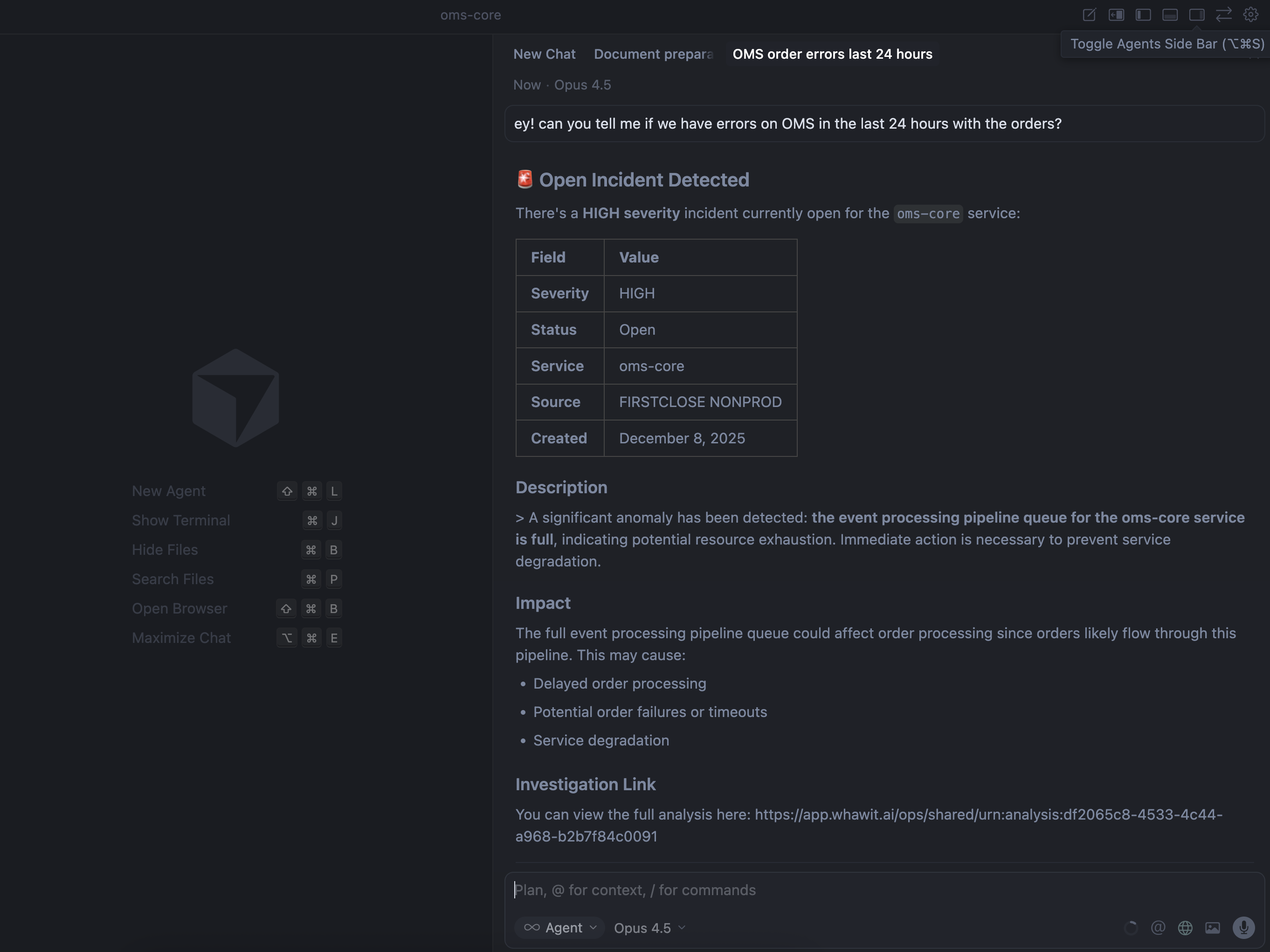
Easy Setup in Any MCP-Compatible IDE
Add Whawit to your IDE's MCP configuration and unlock the full power of AI-assisted incident management.





See MCP in Action
Watch how to investigate incidents using natural language queries in your IDE
Ready to supercharge your AI?
Review the MCP setup guide and connect WHAWIT to your AI-powered IDE for incident investigation workflows.